PDF Edition Publishing
Upload newspaper PDFs and convert pages into reader-ready images.
A self-hosted PHP application for e-paper editions, interactive clips, WordPress publishing and Web Stories. Manage your publication and shape the reader experience from one dashboard.
Publish editions, manage content and configure your reader through a connected administration workspace.
Upload newspaper PDFs and convert pages into reader-ready images.
Create focused clips and connect newspaper content to digital stories.
Organize publication dates, pages, status and edition actions.
Browse your connected Drive and create editions from PDF files.
Write and manage WordPress stories from the CMS dashboard.
Build image and video slides with text and action links.
Set app identity and installation controls for supported browsers.
Customize logos, colours, banners, widgets and viewer settings.
Configure authentication options and archive maintenance settings.
Explore edition management, cloud PDF import, WordPress publishing and your media library.
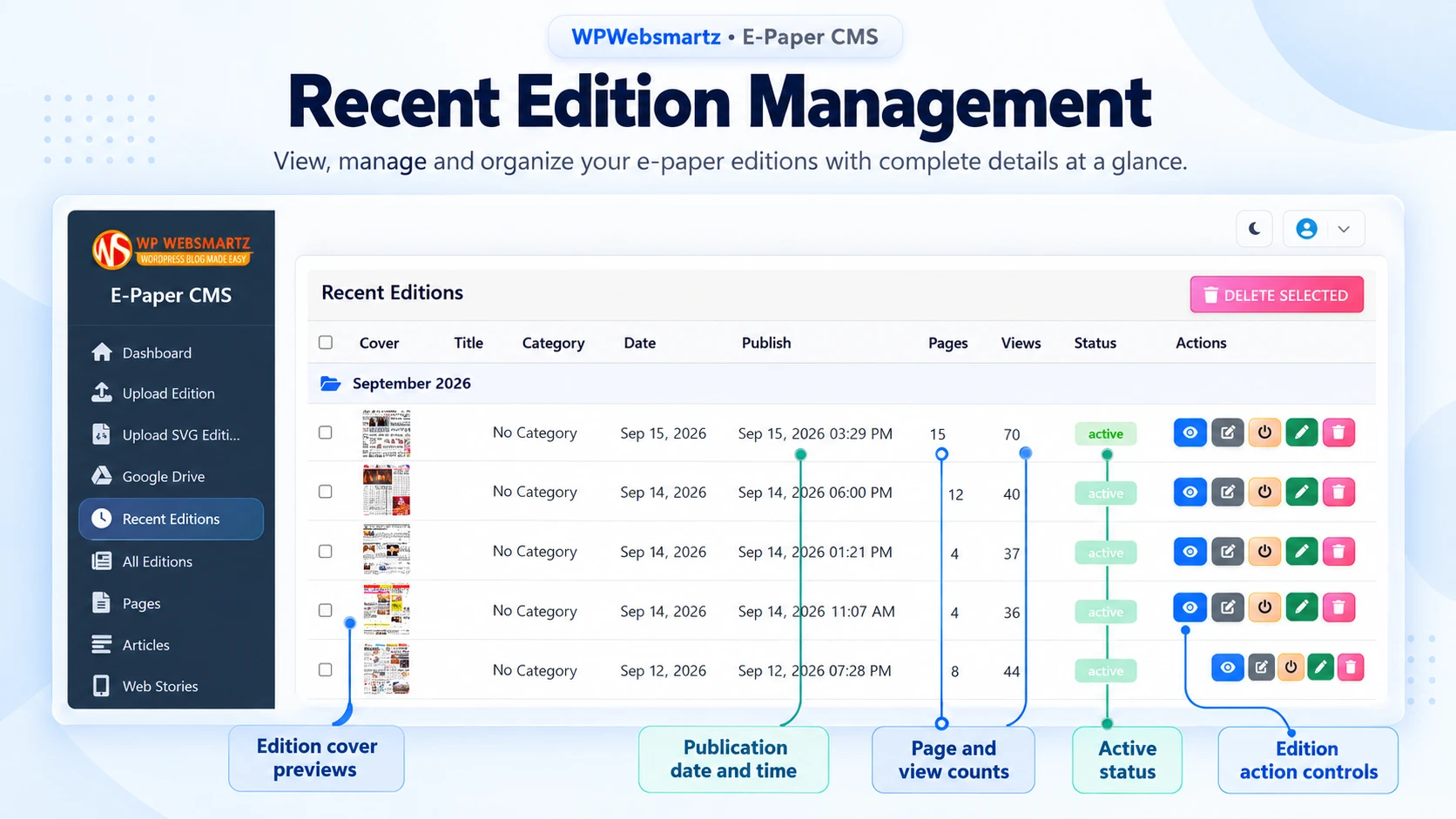
Manage recent editions with cover previews, publication dates, page counts, views, status and quick actions.
Browse Drive folders and create an e-paper edition from a PDF without leaving the dashboard.
Connect your WordPress website, write stories, choose featured images, assign categories and tags, and review recent posts.
Browse image and video assets, inspect file details, open media, copy URLs and manage selected files.
Select an image to view the feature callouts at a larger size.
Build visual stories and configure the reading experience across supported devices.
Generate drafts from articles or compose slides with images, videos, headlines, text and call-to-action links.
Give readers slide progress, playback controls, previous/next navigation, sharing and call-to-action links.
Configure PDF/JPEG viewing, page and thumbnail layouts, breaking news and hotspot clip quality.
Configure app identity, installation prompts, story playback, navigation, typography and sharing controls.
Select an image to view the feature callouts at a larger size.
Control branding, layout, integrations, registration, widgets and archive storage.
Set header and footer logos, favicon, alignment, promotional banners and hotspot branding.
Customize colours, clip sharing options, and hotspot appearance to match your publication.
Configure homepage sections, category and edition cards, clip headers and footers, and integration settings.
Select WordPress news, article fonts, category widgets, copyright text and developer branding.
Control registration, email verification, the admin login button, Google reCAPTCHA and Google sign-in.
Set site details and monitor storage with archive quotas, cleanup targets and maintenance controls.
Select an image to view the feature callouts at a larger size.
Add an edition PDF or import one from Google Drive.
Convert the edition into images for the reader.
Create clips and connect selected content to stories.
Make the edition available to your readers.
Follow the installation, admin setup, edition publishing, hotspot, sharing and customization guides.
This product is a standalone PHP application deployed on your own hosting. Its WordPress Publisher feature connects to a WordPress website.
The standalone package is licensed for one domain. Contact WPWebsmartz for additional licensing needs.
The offer includes installation support, email support and one year of updates and support.
Yes. The settings workspace includes logo, banner, colour, layout, viewer, sharing, widget and typography controls.
Configure the relevant Google credentials and services for Google features. WordPress publishing uses your website URL, editor username and an application password. Email verification also requires SMTP or email API configuration.
Installation prompts depend on browser support, HTTPS and correct manifest/service worker configuration.
Bring editions, stories and reader controls together in your own publishing platform.
Get Standalone Script