
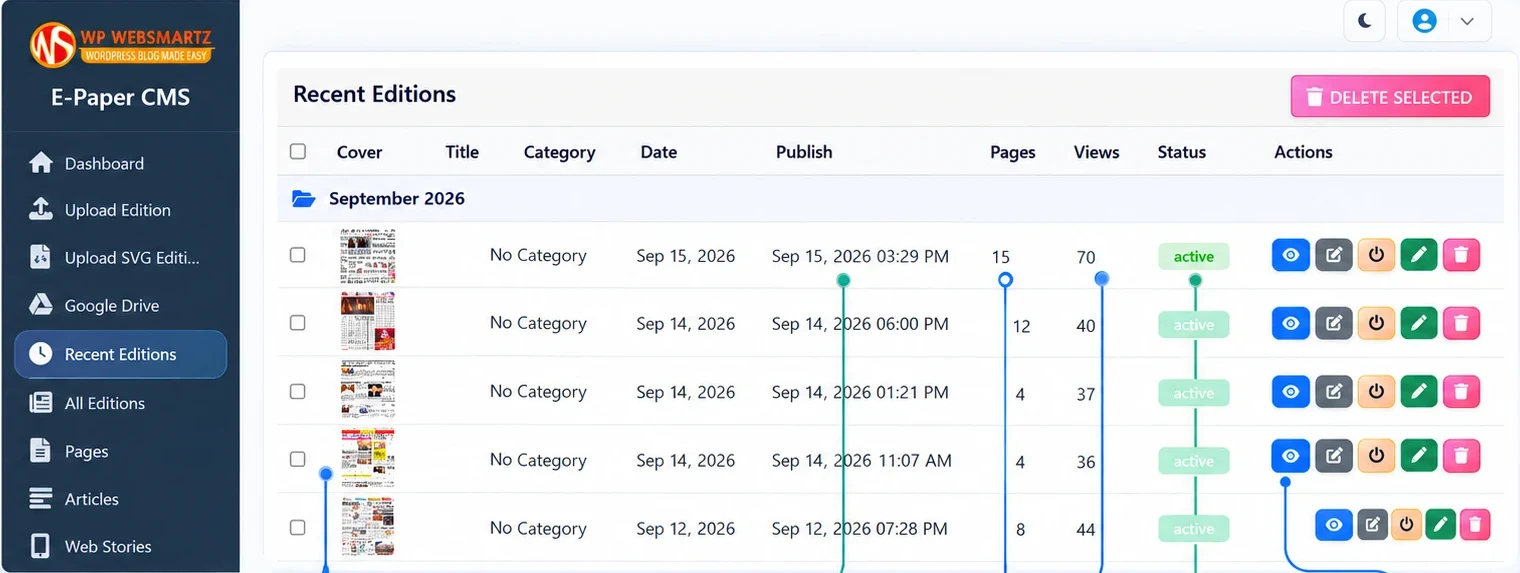
See the workspace.
Know what you’re getting.
Explore the actual CMS screens, from your first edition to the details that make it yours.
Your edition, straight from Google Drive
Browse connected folders and import a PDF as an e-paper edition without leaving your CMS dashboard.
Everything for your next edition.
Open a feature to see how it fits into your daily workflow.
No matching features. Try “PDF”, “Drive” or “branding”.
From today’s PDF
to today’s readers.
Upload a PDF. Or bring it from Drive.
Add your newspaper PDF, title and edition date. The Google Drive integration lets you browse connected folders and import an edition directly.
One publication.
The right starting point.
Choose a standalone e-paper CMS, or add e-paper publishing to your existing WordPress website.
| Find your fit | COMPLETE PLATFORME-Paper CMS₹8,000 one time | WORDPRESS ADD-ONWordPress Plugin₹5,000 one time |
|---|---|---|
| Choose your edition |
Both options use your own hosting. Google Drive import requires your own Google account, credentials and configuration. Review setup documentation ↗ (opens in a new tab)
A few useful answers.
Is the CMS a WordPress plugin?
The E-Paper CMS is a standalone PHP application installed on your hosting. The separate WordPress plugin adds e-paper publishing inside an existing WordPress installation.
What does the one-time license include?
The standalone offer includes lifetime use on a single domain, the PHP application package, installation and email support, and one year of updates and support. Contact WPWebsmartz for additional domains or renewal details.
Can I use my own publication branding?
Yes. Configure publication logos, colours, banners, typography and reader controls, including branding on hotspot clips.
What is required for Google Drive import?
Google Drive import requires your own Google account, credentials, permissions and enabled services. Configure these privately in your CMS. Email verification also requires your own email or SMTP configuration.
Can readers use it on mobile or install it as an app?
The reader is responsive. PWA settings let you configure app identity and installation prompts. Installation depends on browser support, HTTPS, and a correctly configured manifest and service worker.
Where can I see the product and installation steps?
Open the live demo ↗ to explore the product. The complete CMS documentation ↗ covers installation, setup, edition publishing, hotspots and customization. For help, email info@wpwebsmartz.com.
Make your publication
feel at home online.
Explore the reader. Get to know the dashboard.
Choose the setup that fits your publication.